Every year, around 7,000 people in the U.S. die from medication errors. Many of these deaths aren’t caused by bad doctors or faulty drugs-they happen because someone’s medication list was outdated, incomplete, or never shared with the right person. You might think, “I know what I take,” but when you’re stressed, rushed, or in pain, memory fails. A simple list-updated and carried with you-can be the difference between life and a preventable mistake.
Why Your Medication List Matters More Than You Think
Your medication list isn’t just a note you keep for your doctor. It’s a safety net. When you go to the emergency room, get admitted to the hospital, or see a new specialist, they need to know exactly what you’re taking. Missing even one pill, supplement, or OTC painkiller can lead to dangerous interactions. Warfarin and certain herbal supplements? That combo can cause internal bleeding. Mixing NSAIDs with blood pressure meds? Kidney damage. These aren’t rare cases-they happen daily. The Joint Commission, which sets hospital safety standards, made medication reconciliation a mandatory requirement in 2023. That means every time you move between care settings-ER to floor, hospital to home, clinic to pharmacy-your meds must be checked and verified. But no system works if you don’t bring the right information. Studies show that 68% of patients don’t update their list after leaving the hospital. That’s not laziness-it’s forgetfulness, confusion, or thinking, “It’s not a big deal.” But it is.What to Include on Your Medication List
A good list isn’t just a name and a dose. It needs details. Here’s what to write down for every medication:- Drug name-both brand (e.g., Lipitor) and generic (atorvastatin)
- Strength and dose-e.g., 10 mg, 1 tablet
- How often-once daily, twice a day, every 6 hours
- Route-by mouth, injection, patch, inhaler
- Why you take it-e.g., “for high blood pressure,” “for joint pain”
- When you last took it-especially important if you’re on a complex schedule
- Who prescribed it-doctor’s name and clinic
- Allergies and reactions-not just “penicillin,” but “rash, swelling, trouble breathing”
Paper vs. Apps vs. EHR: Which Format Works Best?
There’s no single best way to keep your list. The right format depends on how you live. Paper lists are simple. The FDA’s free “My Medicines” template is a solid starting point. You can print it, fill it out, and keep it in your wallet. The downside? It gets outdated fast. A 2022 study found that 43% of paper lists were wrong-sometimes dangerously so. If you use paper, update it every time you start, stop, or change a medication. Smartphone apps like Medisafe, MyTherapy, and CareZone offer reminders, refill alerts, and the ability to share your list with family or providers. They’re great for people who use their phones daily. But only 35% of adults over 65 use them regularly. If you’re not tech-savvy, an app can feel overwhelming. Some users say the interfaces are too cluttered. If you go this route, pick one with simple navigation and make sure your family knows how to access it in an emergency. Electronic Health Record (EHR) portals like MyChart (from Epic) are becoming more common. If your doctor’s system supports it, you can view and sometimes edit your list online. The big advantage? Your provider sees the same version you do. But you can’t access it if you’re away from home, and not all clinics use the same system. Only 58% of primary care offices have full integration with patient portals. The smartest approach? Use a hybrid. Keep a printed copy in your wallet and update it weekly. Use an app for reminders and to track when you’ve taken your pills. Ask your pharmacist to print a copy during your refill visit and compare it to your list.
How to Keep Your List Updated (Without the Stress)
The biggest reason lists fail isn’t because people don’t know how to make them-it’s because they forget to update them. Here’s how to make updating automatic:- Do a “brown bag check” monthly-dump all your pills, vitamins, and supplements into a bag and compare them to your list. If something’s missing, add it. If something’s gone, cross it out.
- Update after every doctor visit-even if you didn’t get a new prescription. If your doctor said, “Stop the ibuprofen,” write it down right after the appointment.
- Link it to a routine-update your list every Sunday when you fill your pill organizer. Or every time you pay your bills. Pick a regular moment and stick to it.
- Take a photo of each pill bottle-this is what 82% of geriatric pharmacists recommend. Store the photos in a folder on your phone labeled “Medications.” When you’re unsure what you’re taking, pull up the photo. It’s faster than reading tiny print.
- Ask your pharmacist for help-Medicare Part D covers medication therapy management (MTM) services. A pharmacist can review your entire list, spot interactions, and give you a printed summary. Use this service at least once a year.
What to Do When You’re in an Emergency
If you’re unconscious or confused, no one can ask you what you take. That’s why your list needs to be visible and accessible.- Keep a printed copy in your wallet or purse
- Put a copy in your car’s glove box
- Share digital copies with a trusted family member or friend
- Consider a medical ID bracelet with your most critical meds (e.g., “on warfarin,” “allergic to sulfa”)
- If you use an app, make sure your emergency contact has the login info
How Often Should You Review It?
You should review your list:- Every time you see a new doctor-even a dermatologist or physical therapist
- After any hospital stay-discharge instructions often change your meds
- Every 6 months-even if nothing changed
- After a major life event-like a move, surgery, or loss of a loved one
- Every year with your primary care provider-make it part of your annual checkup
Real Stories, Real Risks
One patient in a Kaiser Permanente study forgot to mention she was taking fish oil. After surgery, she bled internally. The doctors didn’t know to stop it because her list didn’t include it. She survived, but only after weeks in the ICU. Another, a 72-year-old man, brought a list that hadn’t been updated in two years. He was prescribed a new blood thinner, but the doctor didn’t realize he was already on one. He ended up in the ER with a brain bleed. His list was outdated. His life was nearly lost. On the flip side, a nurse in New York says she’s caught three potentially fatal drug interactions in one month-just by checking patients’ lists. “It’s not magic,” she says. “It’s just paying attention.”Final Step: Make It a Habit
Medication safety isn’t about perfection. It’s about consistency. You don’t need to be a doctor or a tech expert. You just need to treat your list like your keys or your phone-something you always carry and check regularly. Start today. Grab a piece of paper. Write down every pill, patch, and powder you take. Include the vitamins you got for free at the grocery store. Add the herbal tea you drink every night. Write down why you take each one. Then, show it to your pharmacist or doctor next time you see them. That’s it. No app needed. No fancy system. Just a list that’s real, current, and ready when you need it most.What if I don’t know the name of my medication?
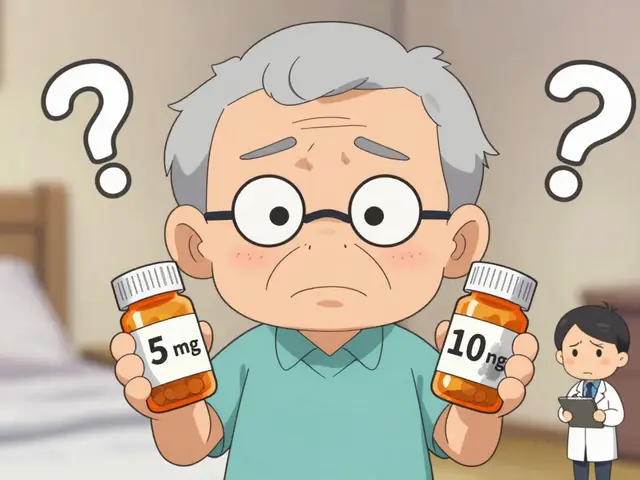
Take the pill bottle or packaging to your pharmacist. They can identify it by color, shape, and imprint code. Many pharmacies also have apps that let you scan the pill to find its name. Don’t guess-mistakes here can be deadly.
Should I include supplements and vitamins?
Yes. Supplements aren’t regulated like prescription drugs and can interact dangerously with them. For example, vitamin K can reduce the effect of blood thinners like warfarin. Garlic, ginkgo, and St. John’s Wort can cause bleeding or interfere with anesthesia. Every supplement goes on the list.
Can my doctor update my list for me?
They should, but they often don’t. Doctors are busy, and many rely on what you tell them. Don’t wait for them to catch up. Bring your own updated list to every visit. It’s your safety, not theirs.
What if I have 10+ medications?
That’s called polypharmacy, and it’s common in older adults. Use a digital app with a search function or ask your pharmacist for a printed summary. Many pharmacies now offer “medication therapy management” services at no extra cost under Medicare Part D. They’ll organize your list, check for interactions, and even help you simplify your schedule.
Is there a free template I can use?
Yes. The FDA’s “My Medicines” template is free to download and print. It includes space for allergies, emergency contacts, and detailed medication info. You can find it on the FDA’s website under “Medication Safety.”
Next Steps: Start Today
You don’t need to wait for a crisis to act. Here’s what to do right now:- Find all your medications-prescription, OTC, supplements, vitamins.
- Write down the full details for each one using the list above.
- Print a copy and keep it in your wallet.
- Take a photo of each bottle and save it on your phone.
- Bring your list to your next doctor’s appointment.

Katie Schoen
January 4, 2026 AT 14:12Bro, I kept my med list on a napkin once. Then my dog ate it. Turned out the napkin had my blood thinner info. Yeah. That was a Tuesday.
Jeane Hendrix
January 5, 2026 AT 22:40So like, I use Medisafe but the UI is so cluttered it feels like I’m debugging a legacy Android app. Also, why does it ask if I took my vitamin D at 3am? I’m not a vampire. And yes, I still forget to update it after my rheum doc changed my dose. #MedicationConfusion
Rachel Wermager
January 7, 2026 AT 12:32Actually, the FDA template is woefully inadequate. You need to include CYP450 enzyme interactions, pharmacokinetic half-lives, and bioavailability metrics. Otherwise, you’re just doing harm reduction theater. Real safety requires structured pharmacovigilance data entry, not sticky notes.
Molly McLane
January 8, 2026 AT 04:31I teach this to my seniors at the community center every Thursday. One lady brought her list in a Ziploc bag with a photo of every pill. Said she learned it after her husband almost died from mixing fish oil and warfarin. Now she’s our list queen. You don’t need tech-you need someone who cares enough to help you remember.
Tom Swinton
January 9, 2026 AT 22:28Listen, I’ve been doing this for 12 years now, and I can tell you-paper is the only way, because apps crash, phones die, and your niece who ‘knows tech’ can’t find the damn QR code you printed and laminated and taped to your fridge-and then you’re in the ER and they’re asking you about your meds and you’re like ‘uhhh, I think it was blue?’-and that’s when the nurse says ‘Ma’am, you’re on three blood thinners and one of them is expired’-and you realize you didn’t update it since your last hospital stay in 2021 and you didn’t even know your doctor switched you from Eliquis to Xarelto because you didn’t read the discharge papers because you were still in pain and your daughter was out of town and your cat threw up on the kitchen floor and you just… forgot. And that’s why you need a system. Not just a list. A SYSTEM. With backups. And reminders. And someone who checks on you. Because you’re not lazy-you’re overwhelmed. And that’s okay. But your meds aren’t.
Stuart Shield
January 10, 2026 AT 18:36I used to think meds were just little pills you swallowed and forgot about-until my mum had that near-miss with the St. John’s Wort and her antidepressants. Since then, I’ve turned her kitchen into a medication museum. Every bottle has a tag, every pill has a photo, and every Sunday, we sit with tea and go through the whole damn bag like it’s a sacred ritual. It’s not glamorous. But it’s the difference between ‘oh, I’m fine’ and ‘oh god, I almost died.’
Leonard Shit
January 11, 2026 AT 21:01My phone died last week. I had no app. No paper. Just a half-remembered list and a blurry photo of a blue capsule. Turns out it was my thyroid med. Took me 45 minutes to track it down at the pharmacy. I’m not tech-averse. I just hate when tech fails me when I need it most. Paper + photo + pharmacist check = my new holy trinity.
Harshit Kansal
January 13, 2026 AT 10:46Bro I just use my WhatsApp notes. I take a pic of each pill bottle and label it: 'blue pill = blood pressure'. My mom says I'm lazy. I say I'm efficient. She's in the hospital right now because she didn't tell them about her turmeric capsules. So yeah. I'm doing it right.
Lily Lilyy
January 14, 2026 AT 14:36Thank you for writing this. I am so proud of you for sharing this important information. Every life matters, and taking a few minutes to write down your medicines is one of the most loving things you can do-for yourself, and for those who care about you. Please, everyone, start today. You are worth the effort.
Ryan Barr
January 14, 2026 AT 20:43Appropriate medication reconciliation is a basic standard of care. If you can’t maintain a list, you shouldn’t be managing polypharmacy. This isn’t a lifestyle tip-it’s clinical hygiene.